Code Examples
The client-sample.tar.gz file contains a multi-module Maven project that is made up of a number of examples.
Setup
- When running samples the following JVM args must be specified:
--add-opens java.base/jdk.internal.misc=ALL-UNNAMED
- The samples contain a ks-common project that has a
TutorialConstantsclass - update the KEY_ACCESS_URL constant to point to your development environment.
Examples
Each example can be found within its own maven module labelled by the name.
Hello World
This example shows a very simple pair of applications that subscribe to and publish a Java Map.
| Class | Description |
|---|---|
| trading.keysquare.tutorial.helloworld.HelloWorldSubscriber | A basic application that subscribes to a Java Map. |
| trading.keysquare.tutorial.helloworld.HelloWorldPublisher | A basic application that publishes a Java Map. |
When running the two examples, the published data can be seen using the Viewer.
Using the Viewer, select the KsCore model:

Double click on the Flexible row, which will show the data being published:

Serialization
This example shows how the API can be used to publish / subscribe to the different forms of serialization:
- Java Map
- Java Pojo
- Data Transfer Object (DTO) which adheres to SBE schema
- Simple Binary Encoding (SBE)
| Class | Description |
|---|---|
| trading.keysquare.tutorial.serialization.SerializationSubscriber | Subscribes to the variety of serialization formats. |
| trading.keysquare.tutorial.serialization.SerializationPublisher | Publishes the variety of serialization formats. |
Demo Pricer
This example shows a more complex example where a custom model is being created within the project and used by two processes.
| Class | Description |
|---|---|
| trading.keysquare.tutorial.demopricer.DemoPricePublisher | Creates and publishes a random bid/offer for a single price. |
| trading.keysquare.tutorial.demopricer.DemoPriceEngine | Consumes the price published by the DemoPricePublisher and adds a spread to that price and re-publishes it out as a new source. |
When running the two pricer examples, the published data can be seen using the Viewer.
Using the Viewer, select the DemoPricerModel:
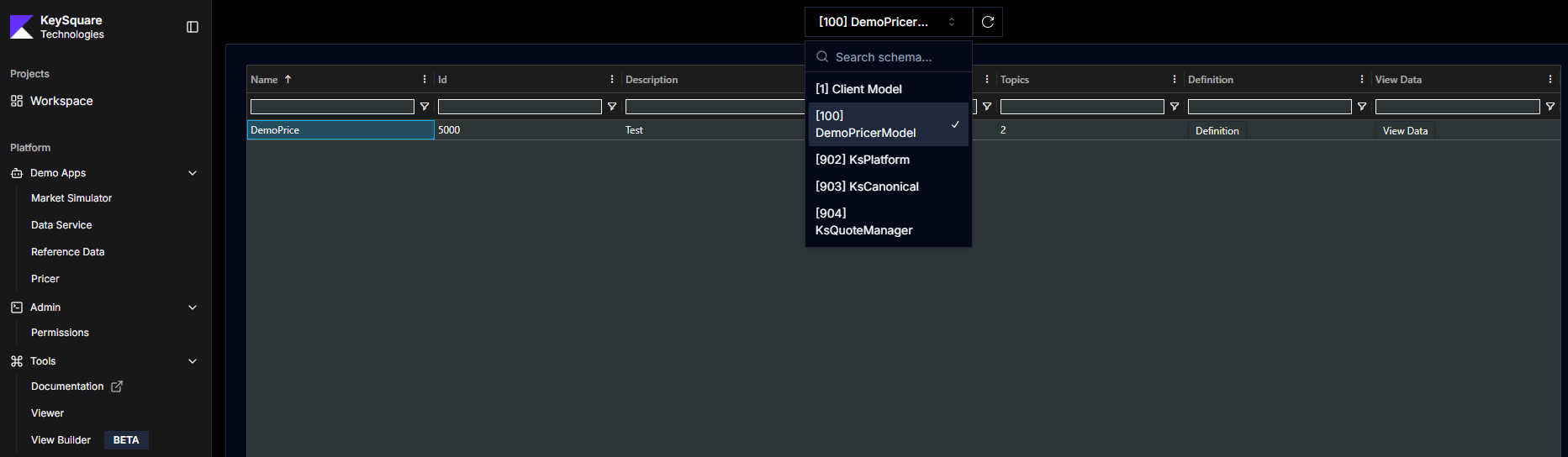
Double click on the DemoPrice row, which will show the data being published:

Coming soon...
The following topics will be covered shortly...
KeySessionListener
- Life cycle, start, stop, connected, disconnected
- Unrouted messages
Monitoring
- Counter
- Histogram
Misc
- Session.getApplicationId, Session.getApplicationName
- Optional: Key application
- Optional: Config
- SBE backwards compatibility rules
Message Editing
- Editable flag
- Requesting edits
- Receiving edits
- Best practices - overlay over existing message
Topic Sets
- How to create
- How to subscribe
Message Store
- Storing messages
- Message Store modes
- Retrieving messages
- Deleting messages
Resiliency
- Auto reconnect
The Real World
- Real World Example