Monitoring
The KeySquare platform has been built with monitoring at its core. KeySquare provide a Monitor application that collects and stores telemetry to QuestDB as part of the default stack. KeySquare can be reconfigured to output our telemetry to a different endpoint should you have a preexisting setup that you would like integrated. Please speak to your friendly KeySquare rep should you want to do this.
KeySquare provides both overall platform monitoring and detailed application-level monitoring.
The custom built monitoring API has been purpose designed for low-latency applications and provides the collection and reporting of metrics to provide standardised out-of-the-box monitoring for all applications.
KeySquare dashboards:
- KeySquare provides a platform-wide operational view.
- KeySquare Application provides detailed telemetry for one application.
Platform monitoring
Platform activity
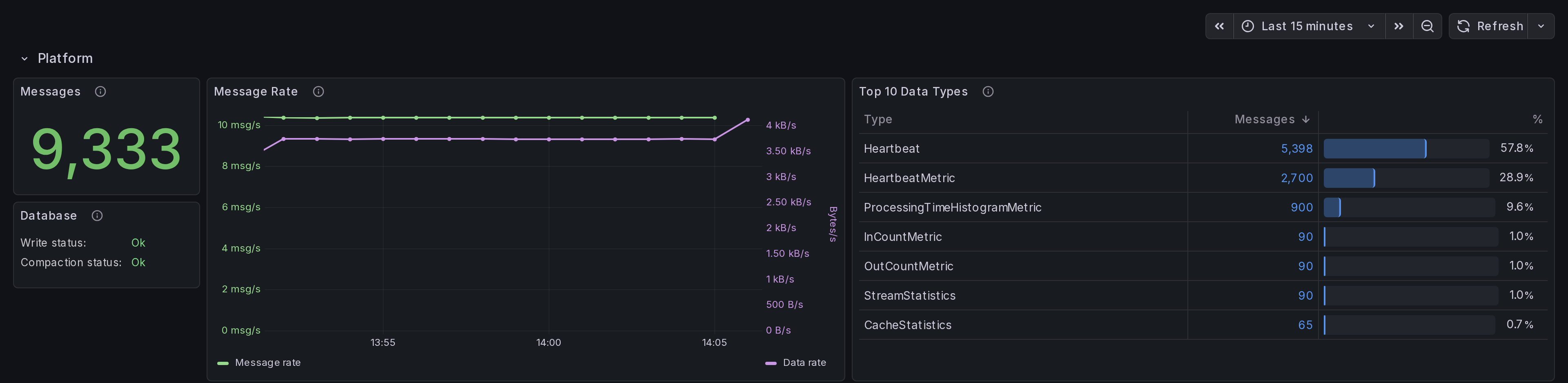
The Platform row summarises activity for the selected time range:
- Messages is the total number of messages sequenced.
- Message Rate plots both the sequenced message rate and data rate.
- Top 10 Data Types ranks sequenced message types by frequency.
- Database reports the current write and compaction status. A write error can mean that the dashboard data is stale.
Applications
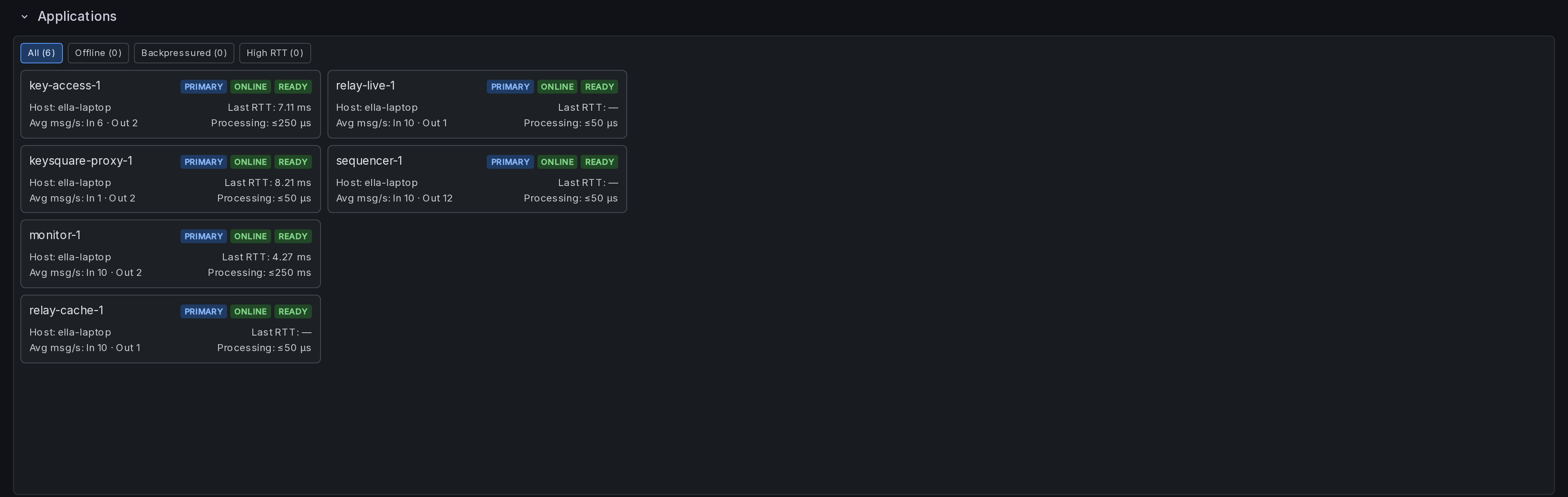
The Applications row provides one card per application shows summary statistics for that application.
Application monitoring
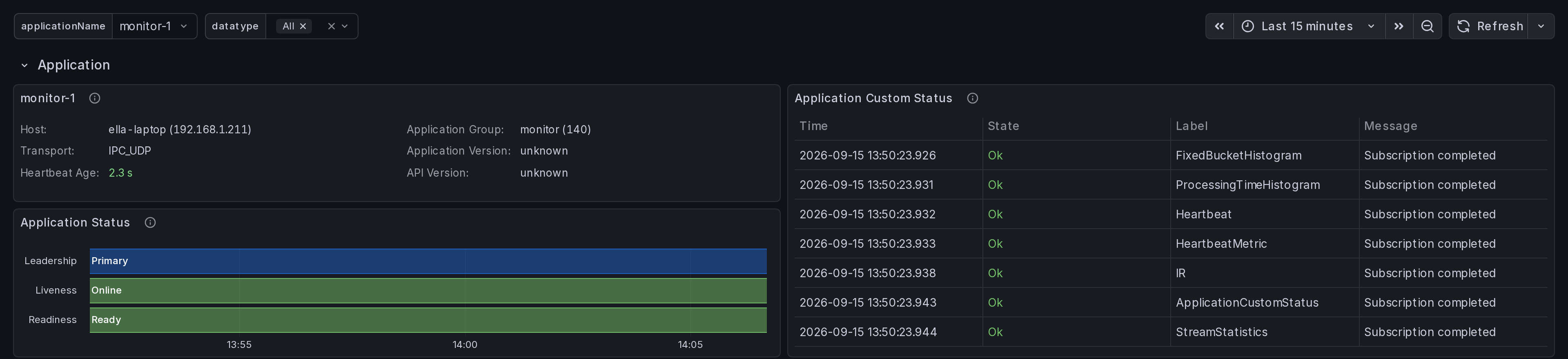
The Application row shows metadata about the application in addition to application defined status events and a timeline view of leadership, liveness and readiness.
Event rates and message types
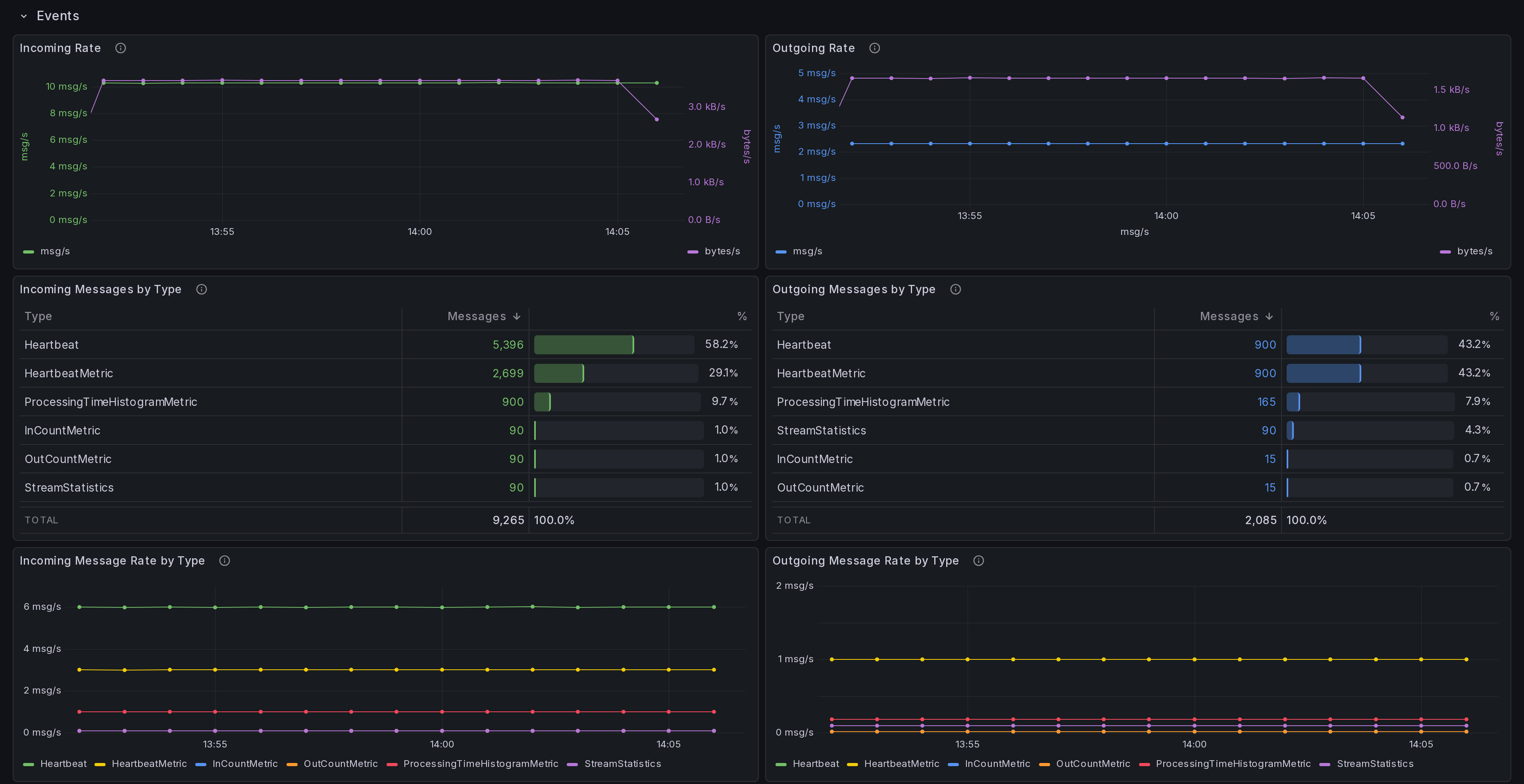
The Events row shows data flow statistics for incoming and outgoing data.
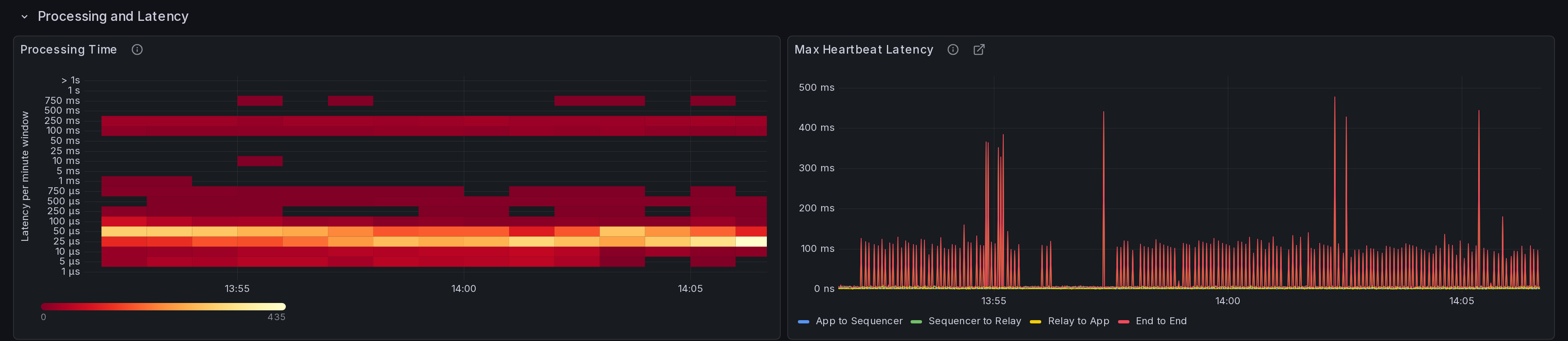
Processing and heartbeat latency
The Processing Time heatmap shows the distribution of application processing times across all incoming message types. Each vertical slice is a one-minute window and colour represents the number of messages in a latency band.
The Max Heartbeat Latency panel plots the peak latency in each time bucket for the round trip time of a heartbeat published by the application being received back through the message delivery path (Application -> Sequencer -> Relay -> Application). Note that the idle strategy selected affects the Relay -> Application measurement in particular; see Threading Model.
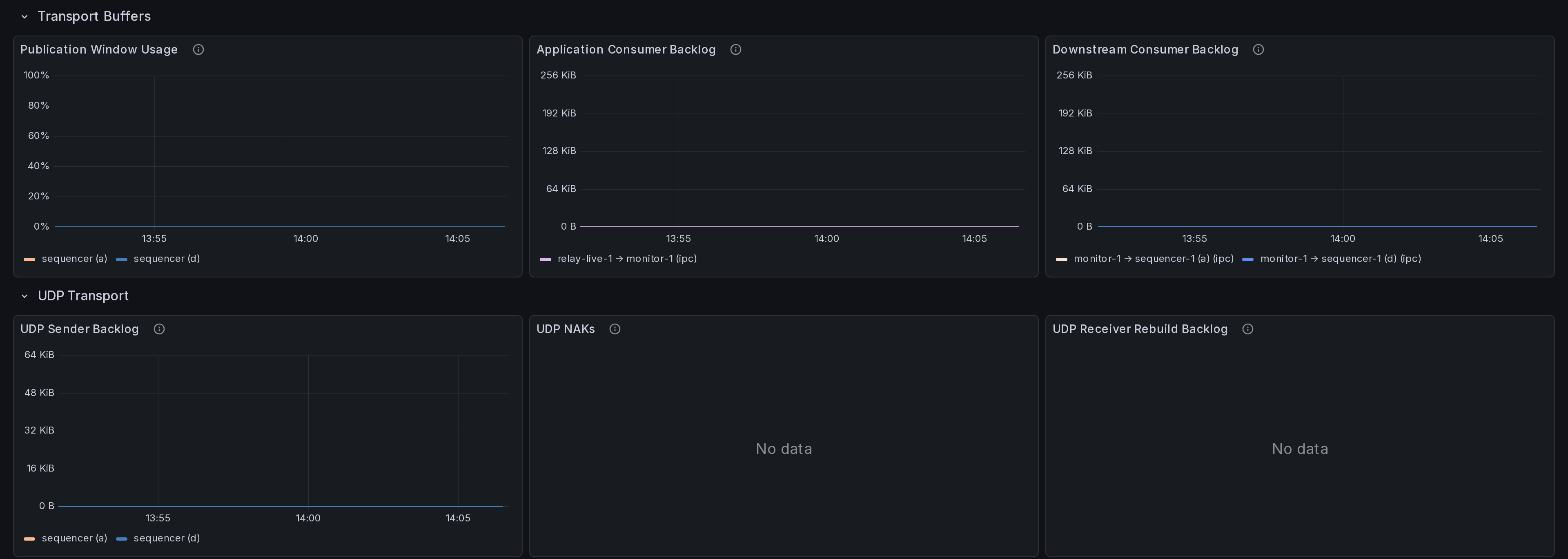
Transport buffers and UDP transport
This rows shows low level transport statistics.
Custom Histograms and Counters
Custom histograms can be created by an application in addition to counters which will automatically be reported in the dashboard.
Processing deep dive
The dashboard creates one Processing Deep Dive row for each selected datatype. Each row shows a message volume count and rate as well as the histogram showing processing time for that specific type of daa.
Follow the Data link from a histogram cell to open the KeySquare Data dashboard for the selected message type and time - note that this will only work when data is being saved as a time series to QuestDb.

For details of publishing custom status, counters and histograms, see Java Monitoring.