Resilience
Platform Resilience
This page provides guidance on how continuous operation and high availability can be achieved.
Overview
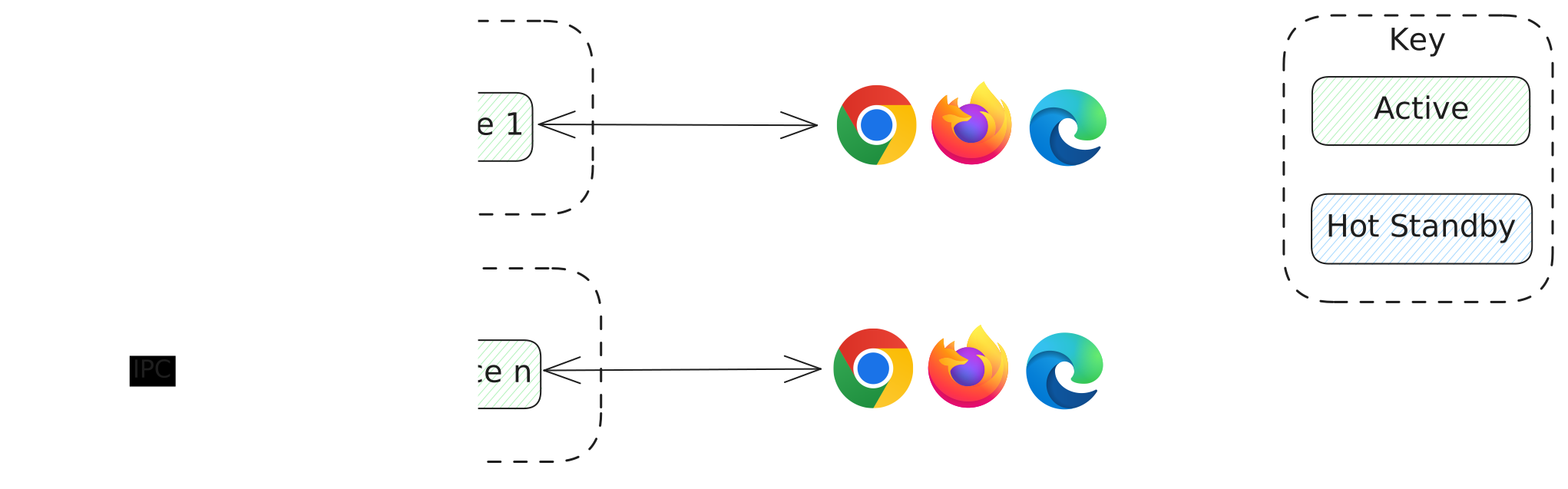
The following diagram illustrates the main components. It shows example configurations for secondary hosts and which platform components can be optionally deployed.

Key Access
Key Access instances operate as a fault tolerant cluster providing the following services:
- Authorisation and authentication services.
- Heartbeat based monitoring of applications.
- Leader election services for clustered applications.
- All instances can accept registration requests.
- The ingress load balancer should be configured to distribute requests to running instances.
Key Access has two cluster node discovery modes:
- Multicast - enables automatic discovery of new cluster members, allowing seamless scaling and dynamic addition of nodes.
- TCP - static TCP endpoints can be configured.
Recommendation: Running at least two instances ensures that the service remains available if one instance fails.
Sequencer
The Sequencer is responsible for ordering messages within the platform. It can be deployed in an Active / Hot Standby configuration.
Active / Hot Standby
- A single active instance of the sequencer will sequence messages.
- Hot-standby instance(s) are ready to automatically take over if the active instance fails.
Having a single active sequencer with a hot-standby instance(s) rather than an active cluster, reduces the need to exchange information between instances. This allows for lower latency and higher throughput.
Upon failover, applications are automatically notified, prompting them to re-send the most recent image for each topic to recover any messages that may have been lost in transit. This ensures that any message loss is limited to in-flight image updates for a given topic.
For instance, if a publisher is streaming prices for several instruments (topics) and a failover occurs, the system prompts the publisher to resend the latest price image for each instrument (topic). Even if several intermediate updates were lost in transit, subscribers will still receive the most up-to-date price image for every instrument (topic), ensuring data continuity and minimising any impact on downstream consumers.
Recommendation: Deploying at least two sequencer instances (one active, one running hot standby) ensures rapid recovery from failures.
Relays
- A Relay Live and Relay Cache instance should be deployed on each host.
- The relays only serve applications that are co-located on the same host.
In the event of host failure, no action needs to be taken regarding the relays because they only serve processes that co-located on the same host.
It is possible to run several relays per host to help with load balancing in the fan-out of messages.
Recommendation: Run one Relay Live and Relay Cache on each host.
Monitor
The Monitor component collects and stores host and platform metrics, providing insights into system health and performance.
In the event of host failure an alternative instance will write platform metrics into the database.
Recommendation: One monitor instance should be run on every host.
KeySquare Proxy
- Multiple instances of the Proxy can be run.
- Clients will be automatically allocated to an active instance.
- In the event of host failure an alternative proxy instance will be used.

Recommendation: Running at least two instances ensures that clients are automatically redirected to healthy nodes in case of failures.
Workspace
- Multiple instances of the Workspace can be run.
- Clients will be automatically load balanced to an active instance.
- In the event of host failure an alternative instance will be used.
Recommendation: Running at least two instances ensures that clients are automatically redirected to healthy nodes in case of failures.
Web Ingress
The platform uses an ingress controller (HAProxy) for development purposes. In production environments, it is recommended to replace this with a highly available solution to ensure scalability and reliability.
Application Resilience
The Key Access cluster forms the resiliency backbone of the platform and provides both health and leader election services to platform applications. The health and leader election capabilities are available for applications to use and are integrated into the api.
Application Status
The ApplicationStatus messages are published by Key Access and provide details of the health of an individual application from the perspective of the platform.
This has the following properties:
| Property | Description |
|---|---|
applicationId | The application id that this status relates to. |
applicationGroupId | The application group id that this status relates to. |
sessionId | The current session id assigned to the application. |
livenessState | Indicates whether the application is online or offline. This is automatically determined by the platform. |
readinessState | Indicates whether the application is ready to perform its role. Readiness is signalled by the application using the api. |
leadershipState | Indicates the application leadership state within its application group. |
actingLeadershipState | Indicates the leadership state the application is currently acting as. |
transportMode | Indicates the transport mode used by the application. |
hostname | The hostname of the machine running the application. |
ipAddress | The audit and application identity IP address selected using the route to KeyAccess. |
apiVersion | The KeySquare api version used by the application. |
applicationVersion | The application version reported by the application. |
message | A status message provided by key-access. |