Python Getting Started
Overview
KeySquare provides a python api (keysquarepy) for connecting to the underlying platform.
The api can be used to:
- Get the latest snapshot of data
- Subscribe to real-time data
- Publish data
Data access is controlled using permissions configured in KeyAccess (details here).
Installation
KeySquarePy can be installed using pip install.
The version of the keysquarepy whl should be packaged in your keysquarepy-sample-{version}.tar.gz
Minimum Requirements
- Python 3.11+
- Python and pip on PATH i.e. available via command line
- Access to running KeySquare platform (setup instructions)
Instructions
- KeySquarePy whl should have the following name
keysquarepy-(x.y.z)-py3-none-any.whl
- In a terminal execute (please replace (x.y.z) below with the latest version)
pip install keysquarepy-(x.y.z)-py3-none-any.whl
If you use visual studio code as your IDE and have access to a container environment, open keylime_sample.py
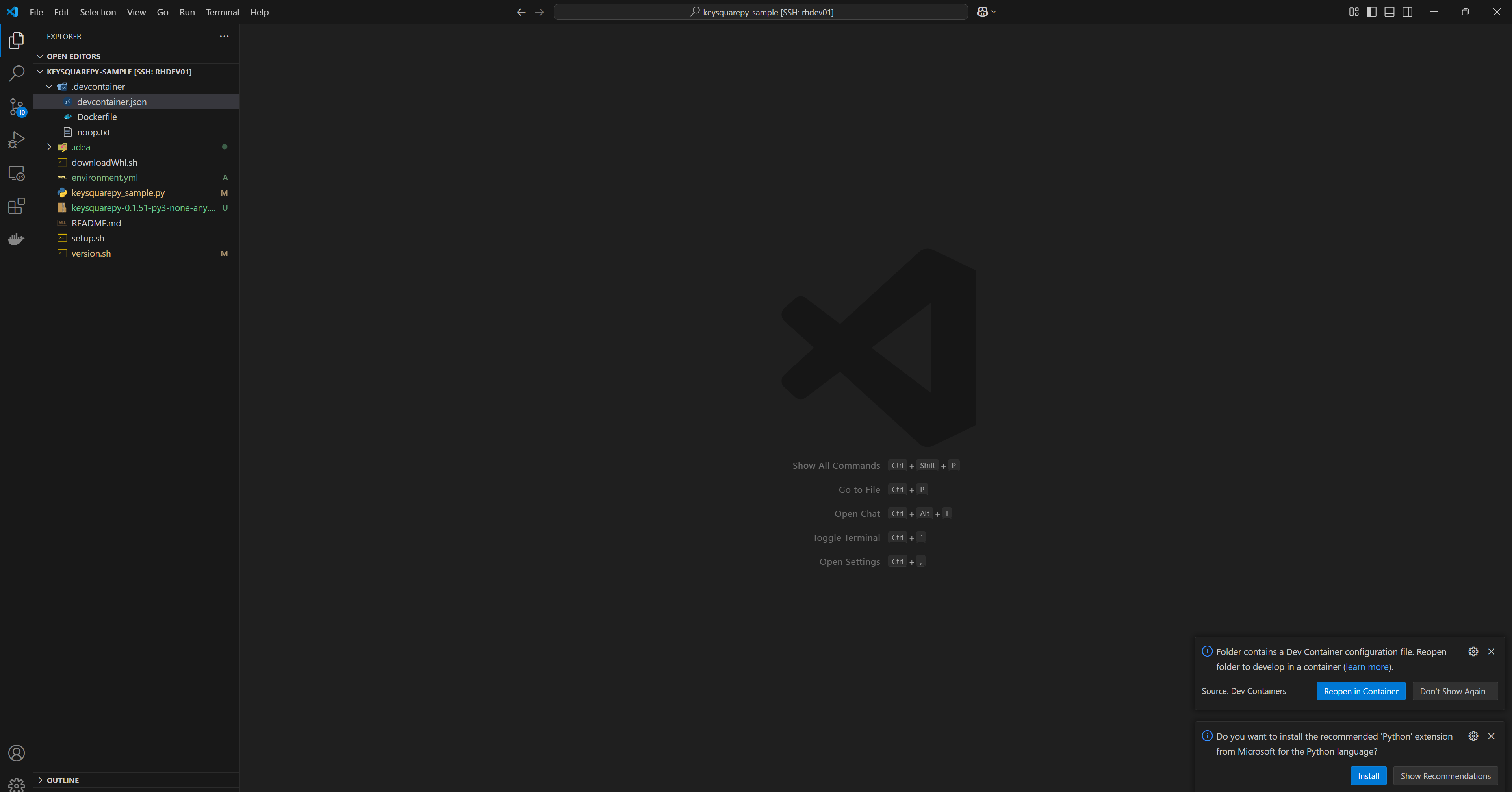
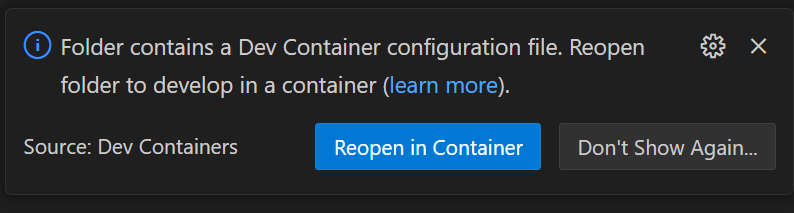
Then click 'Open in dev container' or 'Reopen in container' when prompted to setup a python dev environment
Sample
The following code sample shows how to publish data to KeySquare platform and how to take a snapshot of data already published.
- Review KeySession python reference to understand all the functionality available
- Instructions on how to run the code sample is further below
keysquarepy-sample.py Source Code
from keysquarepy import KeySession
import logging
import pandas as pd
import sys
import json
import time
import random


def main():
    logging.basicConfig(level=logging.INFO, stream=sys.stdout)
    logging.getLogger("keysquarepy").setLevel(logging.INFO)
    logging.getLogger("keysquarepy.key_session").setLevel(logging.WARN)

    # Change this for your actual platform host, we assumed the platform would be where you are running this
    ks = KeySession(host="localhost", port=9981, application_name="keysquarepy-sample")

    # one shot data fetch of SampleMessage
    df = ks.snapshot("SampleMessage")
    logging.info(f"Received type=[{type(df).__name__}], count=[{len(df)}]")
    logging.info(df.info())
    logging.info(df.head(5))
    for index, row in df.iterrows():
        logging.info(json.dumps(row.to_dict(), indent=2))

    # construct a message
    message = ks.sample("SampleMessage")

    # updating fields with the ones we care about
    message |= {
        "message": "time is now",
        "time": time.time_ns(),
        "price": 101.0,
        "id": "asdf",
        "date": 20240915,
        "qty": 11000,
        "booleanField": True,
    }

    # Get a list of data types and schema pairs you can use for subscribing
    catalog = ks.catalog()
    logging.info(catalog)

    # Subscribing to all available data in the platform
    for schema, data_type in catalog[1:]:
        logging.info(f"Subscribing to {data_type} in {schema}")
        ks.subscribe(data_type=data_type, schema=schema, callback=lambda message:
                     logging.info(f"{data_type} received: {message}"))

    # publish a SampleMessage and Price every second
    while True:
        # update the sample message with current timings
        message |= {
            "time": time.time_ns(),
            "message": f"time now is {message['time']}",
            "price": round(random.uniform(100, 101), 2)
        }
        sample_message_ack = ks.publish(data_type="SampleMessage",
                                        id="test_data", data=message)
        logging.info(f"Sample publish result=[{sample_message_ack['status']}]")

        # Publish a blank PriceLite
        price_ack = ks.publish(
            data_type="PriceLite", id="test_data", data={})
        logging.info(f"Price publish result=[{price_ack['status']}]")
        time.sleep(1)


if __name__ == "__main__":
    main()
KsSession
The entry point for the KeySquare platform is the KeySession object
# Change this for your actual platform host, we assumed the platform would be where you are running this
ks = KeySession(host="localhost", port=9981, application_name="keysquarepy-sample")
- host: The location you are connecting to
- port: The port of the KeyAccess Application see quick-start for the default ports
- application_name: This is the name used for connecting to the platform
Snapshotting Data
This allows you to get the current data in the platform without maintaining an active subscription
# one shot data fetch of SampleMessage
df = ks.snapshot("SampleMessage")
logging.info(f"Received type=[{type(df).__name__}], count=[{len(df)}]")
logging.info(df.info())
logging.info(df.head(5))
for index, row in df.iterrows():
    logging.info(json.dumps(row.to_dict(), indent=2))
- Line 19: Returns a DataFrame representing the snapshot of data for the requested data type from the KeySquare platform
- Line 23-24: Iterates over the entire frame and logs the result
Subscription
This gives a live subscription on the KeySquare Platform
# Get a list of data types and schema pairs you can use for subscribing
catalog = ks.catalog()
logging.info(catalog)

# Subscribing to all available data in the platform
for schema, data_type in catalog[1:]:
    logging.info(f"Subscribing to {data_type} in {schema}")
    ks.subscribe(data_type=data_type, schema=schema, callback=lambda message:
                    logging.info(f"{data_type} received: {message}"))
-
Line 41-42: This provides the list of all available data types to subscribe to
- returns in the form of (schema, datatype) for each subscribable data
-
Line 45-48: Subscribe to all data in KeySquare platform found in catalog()
- With each subscription logs the data point as a message
Publication
# construct a message
message = ks.sample("SampleMessage")

# updating fields with the ones we care about
message |= {
    "message": "time is now",
    "time": time.time_ns(),
    "price": 101.0,
    "id": "asdf",
    "date": 20240915,
    "qty": 11000,
    "booleanField": True,
}
-
Line 27: Provides a blank message of the specified data type to fill in
-
Line 30-38: Updating the message with the fields I wish to change
# update the sample message with current timings
message |= {
    "time": time.time_ns(),
    "message": f"time now is {message['time']}",
    "price": round(random.uniform(100, 101), 2)
}
sample_message_ack = ks.publish(data_type="SampleMessage",
                                id="test_data", data=message)
logging.info(f"Sample publish result=[{sample_message_ack['status']}]")

# Publish a blank PriceLite
price_ack = ks.publish(
    data_type="PriceLite", id="test_data", data={})
logging.info(f"Price publish result=[{price_ack['status']}]")
-
Line 54-58: Update the line with current timings combined with line 27-38 above shows the recommended way to obtain and update a data point prior to publishing
-
Line 59-60: Shows how to publish into the KS platform
- data_type: The type your data should be published under
- id: A key identifier to differentiate from other data points of the same data type
- data: The data that you wish to publish
-
Line 64-65: Shows the bare minimum needed to publish an blank price into the platform