Business Dates
Overview
SDS maintains a current and next business date for each configured currency. These dates are used across the platform for settlement date calculation, instrument maturity checks, and any service that requires a tradeable date for a given market.
Business dates are:
- Timezone-aware — each currency has its own timezone and roll time
- Calendar-aware — rolls skip weekends and public holidays defined in a linked Holiday Calendar
- Auto-rolling — SDS schedules a roll at the configured time each day without manual intervention
- Editable — an operator can manually set the current date via
SetCurrentBusinessDate
Fields
| Field | Type | Description |
|---|---|---|
currency | Currency enum | The currency this date applies to (e.g. USD, GBP, EUR) |
currentDate | int (YYYYMMDD) | The current business date |
nextDate | int (YYYYMMDD) | The next business date |
timeZone | String | IANA timezone ID, e.g. America/New_York, Europe/London |
rollTime | String (HHMMSS) | Time-of-day at which the date automatically rolls, in the currency's timezone |
daysOffsetOnRoll | int | Number of calendar days to add before applying calendar adjustment on roll. Useful if you to do an early roll e.g. at 7pm on calendar date. Default 0. |
calendars | String | Comma-separated holiday calendar names used for date adjustment |
Adding a New Currency
To add support for a new currency:
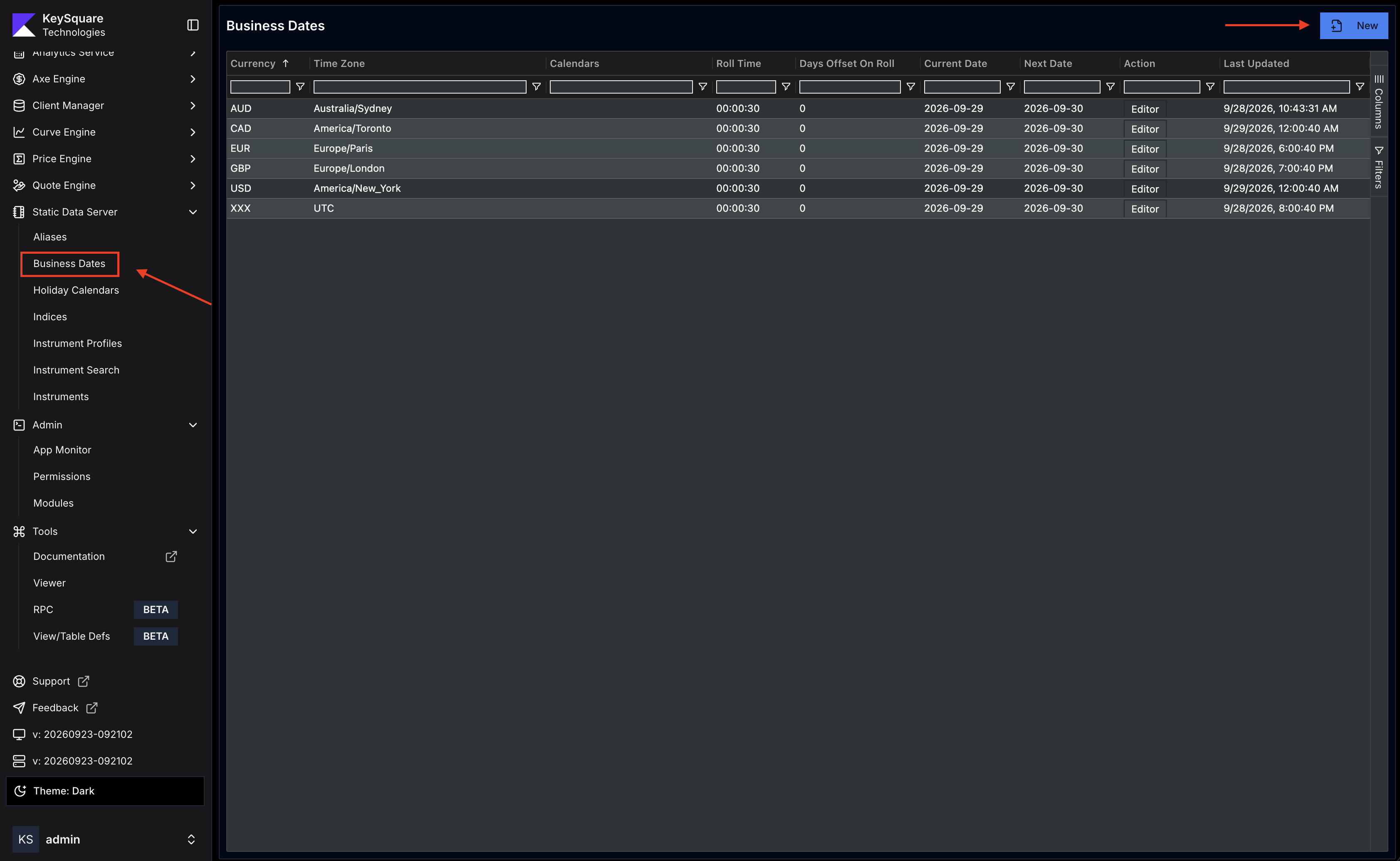
- In Key UI, navigate to Business Dates under Static Data Server and click New
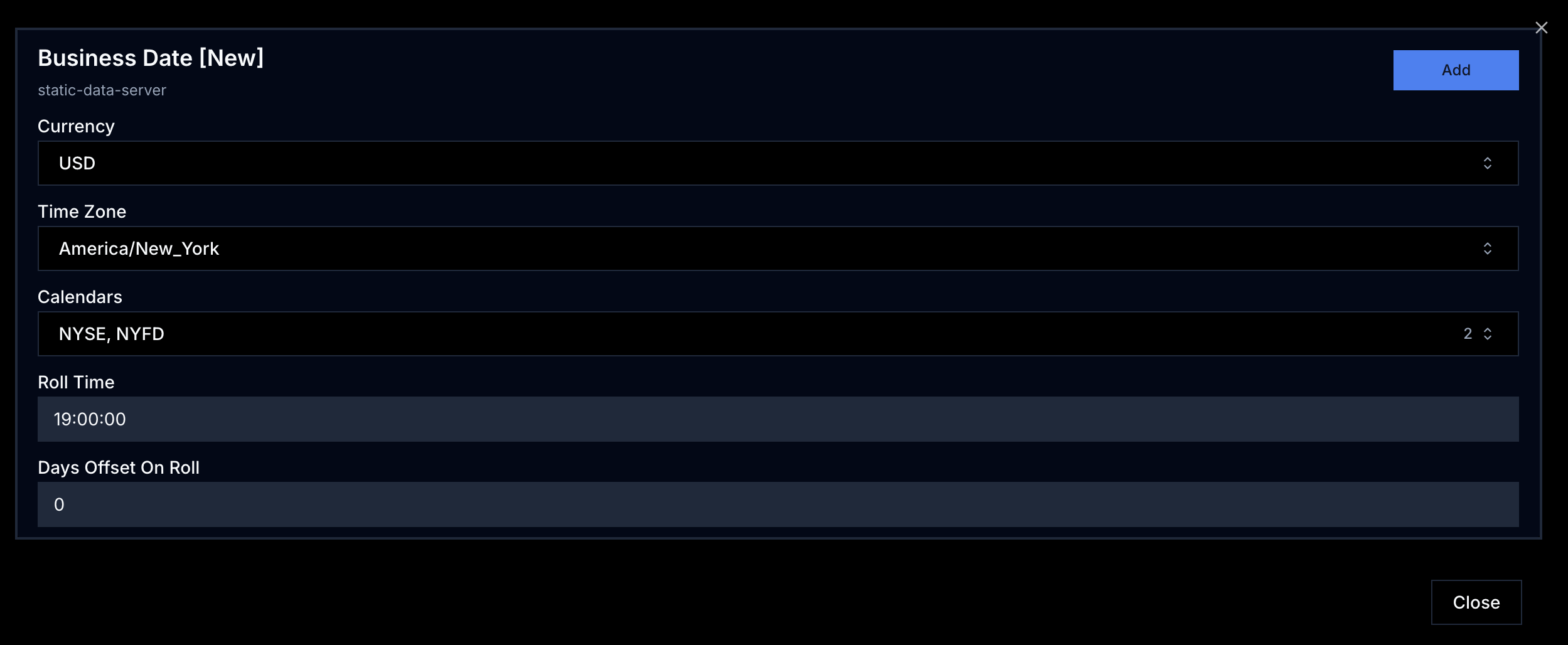
- Set the required fields:
currency,timeZone, and optionallycalendarsandrollTime - Click
Add— SDS will immediately compute the first business date and begin scheduling rolls
A currency entry must exist in the business date table before any instrument denominated in that currency can be accepted by SDS. Attempting to ingest an instrument in an unsupported currency will be rejected with an error.
Manual Override
Use the SetCurrentBusinessDate RPC to manually set a specific date for a currency. This is useful for:
- Running a simulation on a future date
- Recovering from a missed auto-roll after a system outage
The manual date takes effect immediately — the auto-roll scheduler is restarted from the new date.
Holiday Calendar Integration
The calendars field accepts a comma-separated list of calendar names. When computing the current and next business dates, SDS combines all listed calendars:
calendars = "US,LON"
A date is considered a holiday if it appears in any of the listed calendars. This union behaviour ensures that cross-market instruments respect all relevant holidays.
If no calendar is configured, SDS falls back to a simple Saturday/Sunday weekend calendar.