Instrument Profiles
Overview
Instrument Profiles define display and operational conventions for groups of instruments. Rather than storing formatting metadata on every individual instrument, a profile name is assigned to an instrument and all consumers look up the profile to determine how to display prices, yields, and other values.
Every instrument in SDS has a profileName field. If this field is blank or not set by the source provider, SDS automatically assigns the _DEFAULT profile.
Default Profile
| Field | Default Value |
|---|---|
name | _DEFAULT |
defaultValueType | PRICE |
defaultValuePrecision | 3 |
defaultValueFormat | (empty) |
roundingMode | CONVENTION |
defaultCloseTime | 170000 |
defaultCloseTimeZone | America/New_York |
This profile is always available and cannot be deleted.
Fields
| Field | Type | Description |
|---|---|---|
name | String | Unique profile name. Case is normalised to uppercase on save. |
defaultValueType | ValueType | The market convention for instruments in this profile: PRICE, YIELD, SPREAD |
defaultValuePrecision | byte | Number of decimal places for default display |
defaultValueFormat | String | Optional format string for UI display |
roundingMode | RoundingMode | CONVENTION, UP, DOWN, HALF_UP, HALF_DOWN, HALF_EVEN, CEILING, FLOOR |
defaultCloseTime | String (HHMMSS) | Default market close time for end-of-day calculations |
defaultCloseTimeZone | String | IANA timezone for the close time, e.g. America/New_York, Europe/London |
salesBook | String | Default sales book for instruments in this profile |
salesDesk | String | Default sales desk |
traderBook | String | Default trader book |
traderDesk | String | Default trader desk |
bbgYellowKey | String | Bloomberg yellow key for instruments in this profile (e.g. Govt, Corp, Mtge) |
Managing Profiles
Creating a Profile
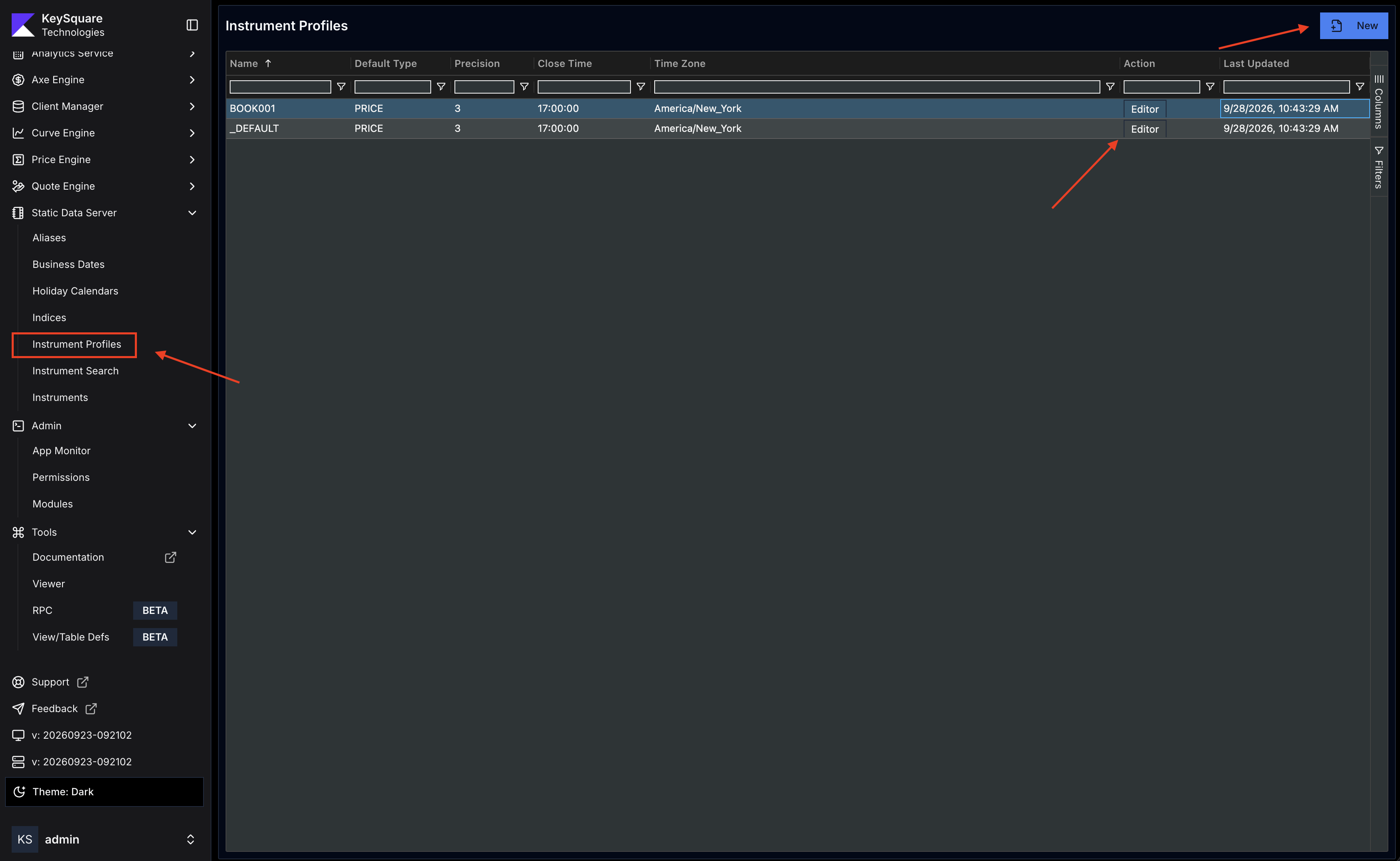
- In Key UI, navigate to Instrument Profiles under Static Data Server and click New
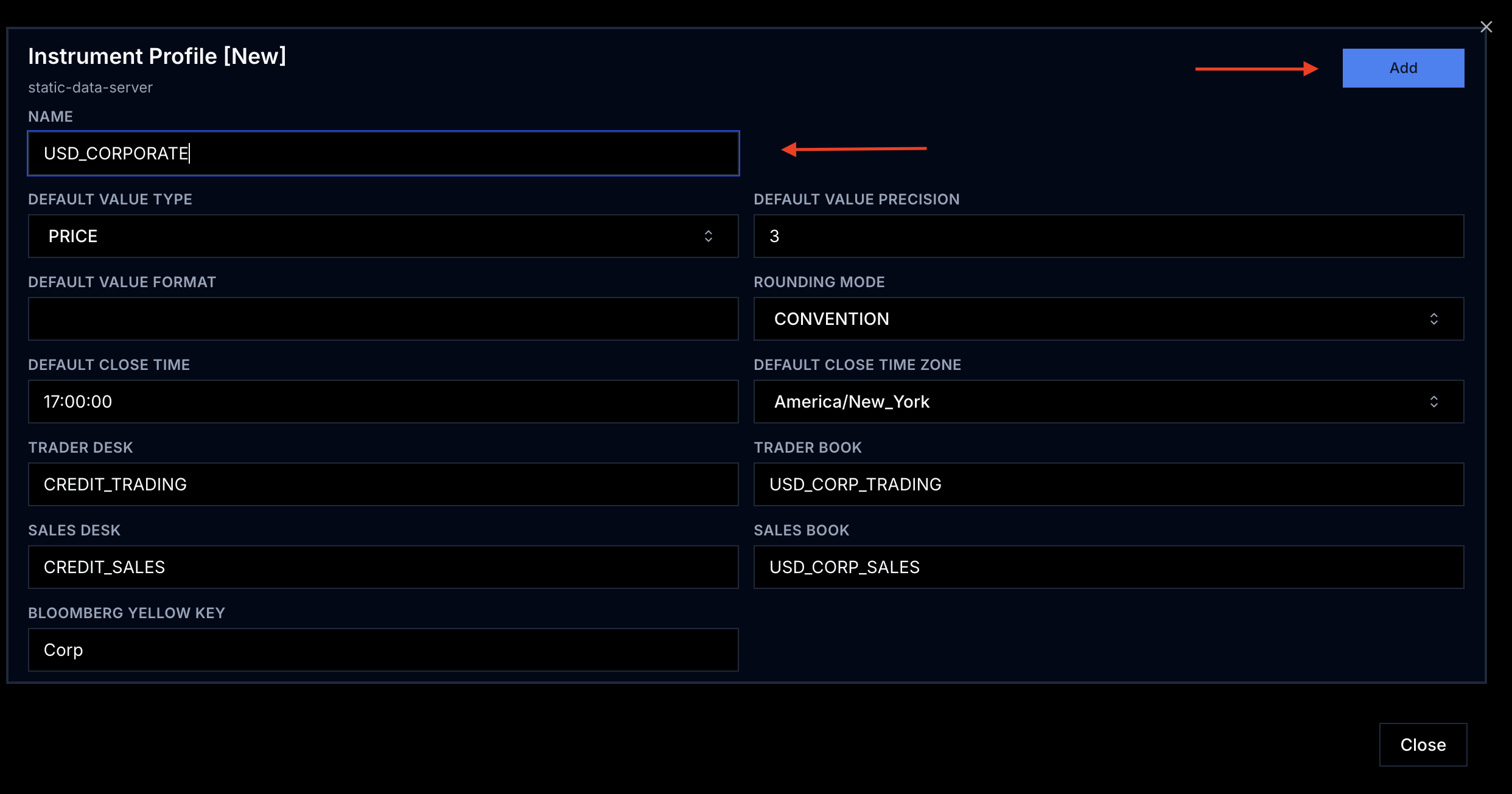
- Fill in the profile fields.
nameis required and must be unique - Click
Add— the profile is immediately published to the platform
Editing a Profile
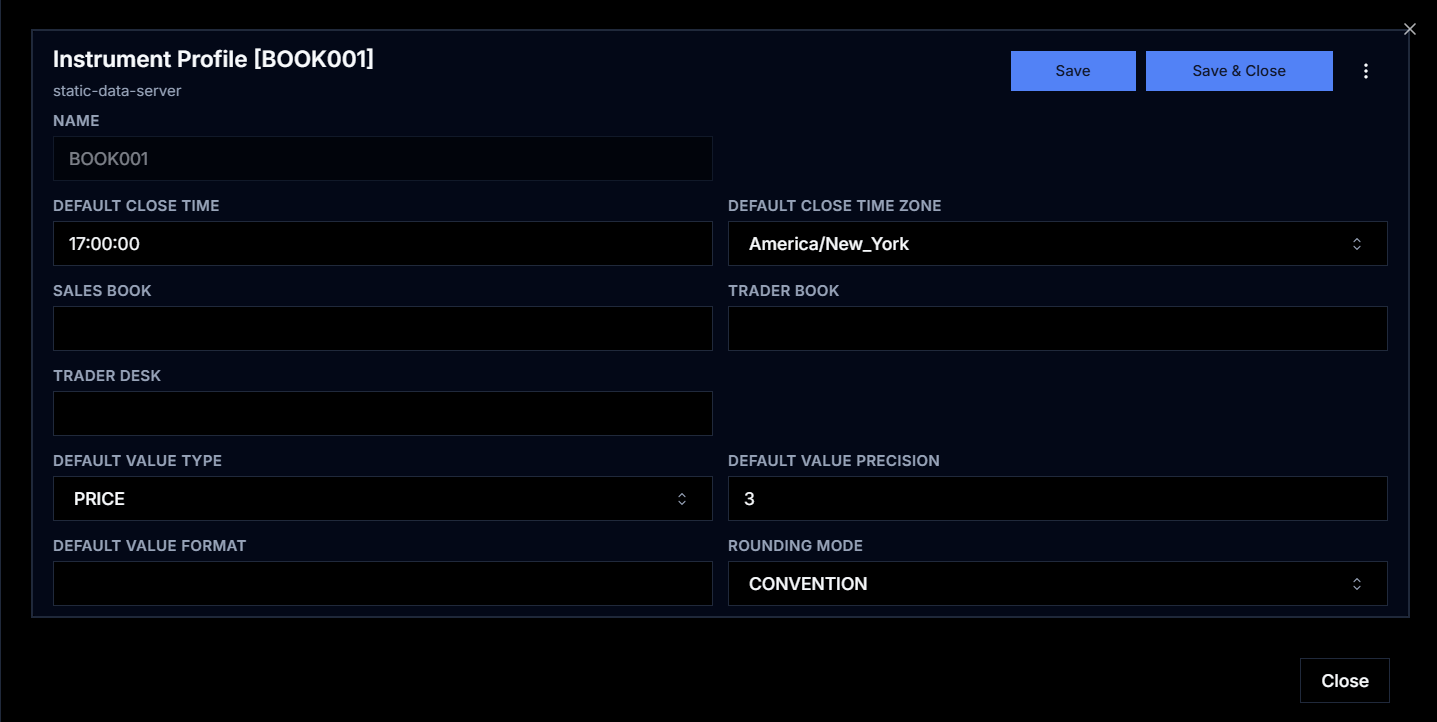
To edit a profile, click on the 'Editor' button for the profile you'd like to modify, update the desired field in the form and hit 'Save'
Assigning a Profile to an Instrument
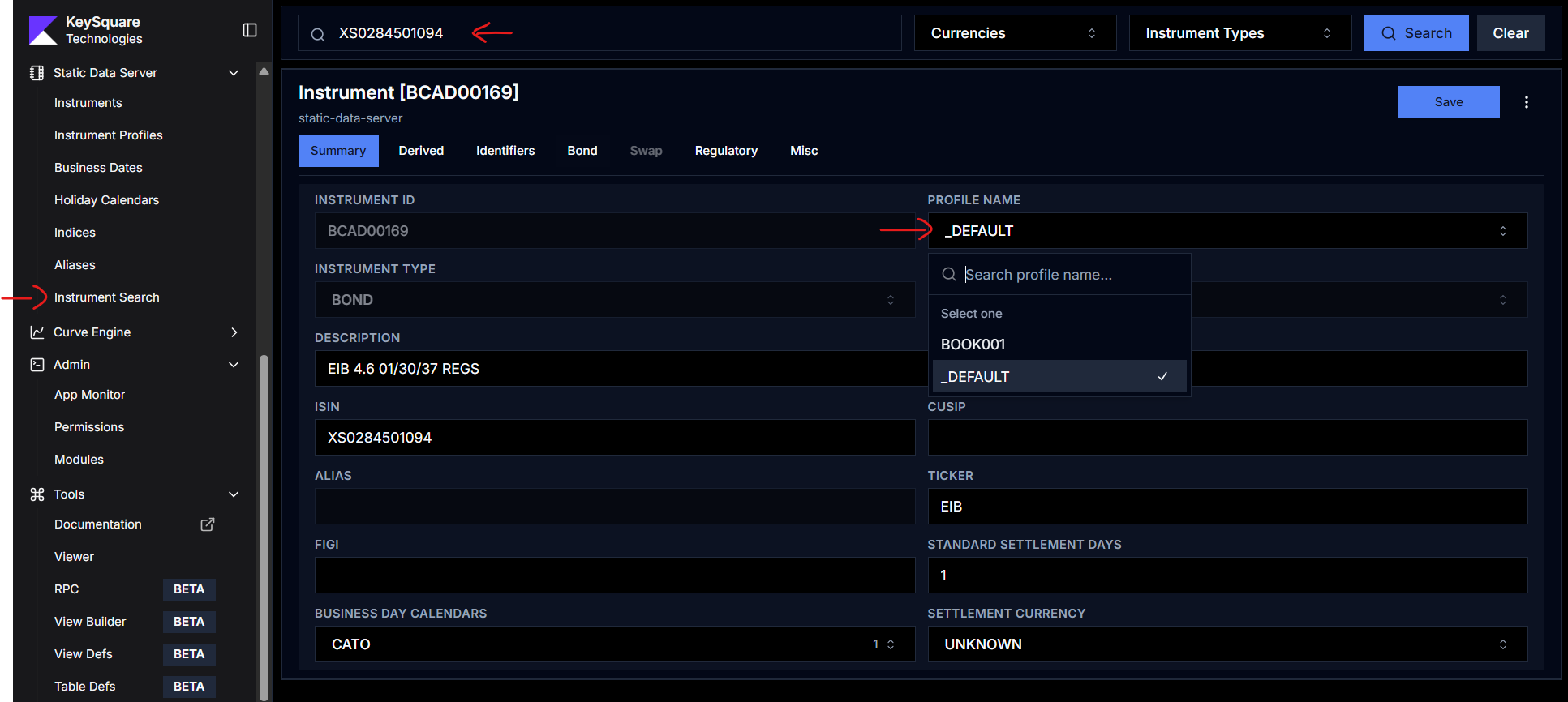
- In Key UI, navigate to Instrument Search under Static Data Server
- Search for the instrument you want to update and select it from the search results
- In the instrument form, pick the desired profile from the list
- Click
Save & Close
SDS does not validate that the referenced profile exists when an instrument is ingested — it only applies the _DEFAULT fallback when profileName is blank.
Bloomberg Yellow Key
The bbgYellowKey field stores the Bloomberg market sector identifier for instruments in a profile. Common values:
| Yellow Key | Sector |
|---|---|
Govt | Government bonds |
Corp | Corporate bonds |
Muni | Municipal bonds |
Curncy | Currencies |
This field is used by Bloomberg connectivity integrations to route data requests to the correct Bloomberg data type.