Holiday Calendars
Overview
Holiday Calendars define which dates are non-business days for a given market. They are used by SDS to compute business dates and settlement dates.
Each calendar has:
- A name (unique, case-insensitive)
- A weekend rule — which days of the week are always non-business days
- A list of explicit holiday dates
Weekend Rules
The weekend field controls which days of the week are treated as non-business days regardless of the holiday list.
| Value | Non-business Days |
|---|---|
SAT_SUN | Saturday and Sunday (default) |
FRI_SAT | Friday and Saturday (Middle East markets) |
THU_FRI | Thursday and Friday |
Holiday Dates
The holidayDateEntry list contains explicit calendar dates that are non-business days (e.g. Christmas, New Year's Day, bank holidays). Dates are stored as integers in YYYYMMDD format.
There is no automatic import of public holidays at — they must be entered manually in the UI or via the AddHolidayDates RPC.
Managing Calendars
Creating a Calendar
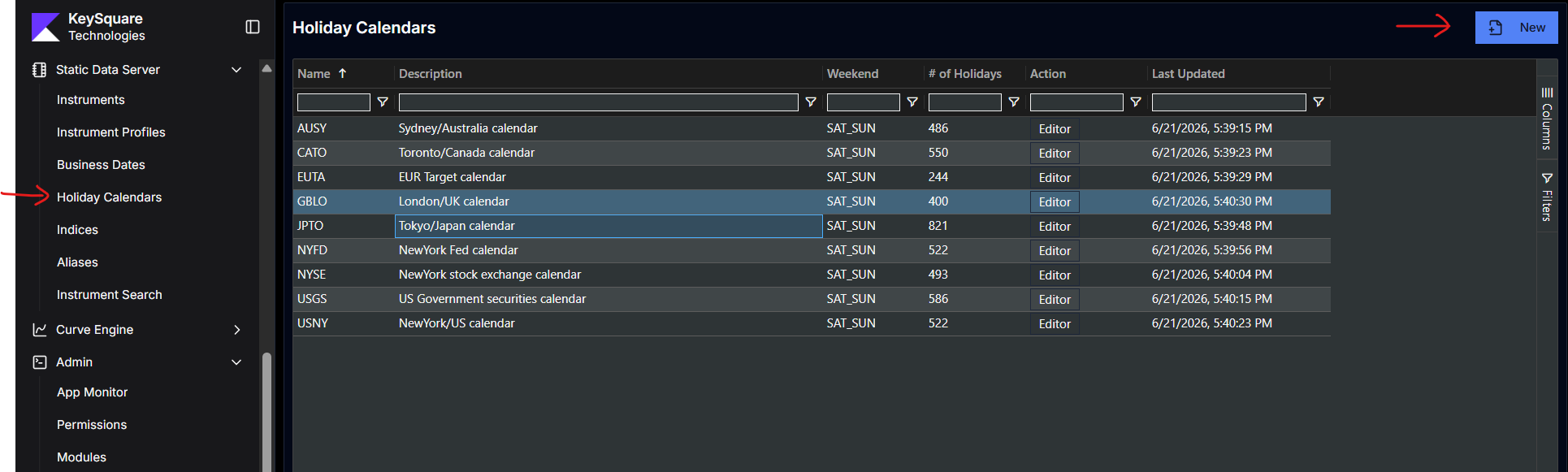
- In Key UI, navigate to Holiday Calendars under Static Data Server and click New
- Enter a name (e.g.
US,LON,NYC) and select the weekend rule - Save — the calendar is immediately available for use in business date configurations
Use short, uppercase names for calendars — they are referenced by name in BusinessDate.calendars and are case-insensitive when resolved.
Adding Holiday Dates
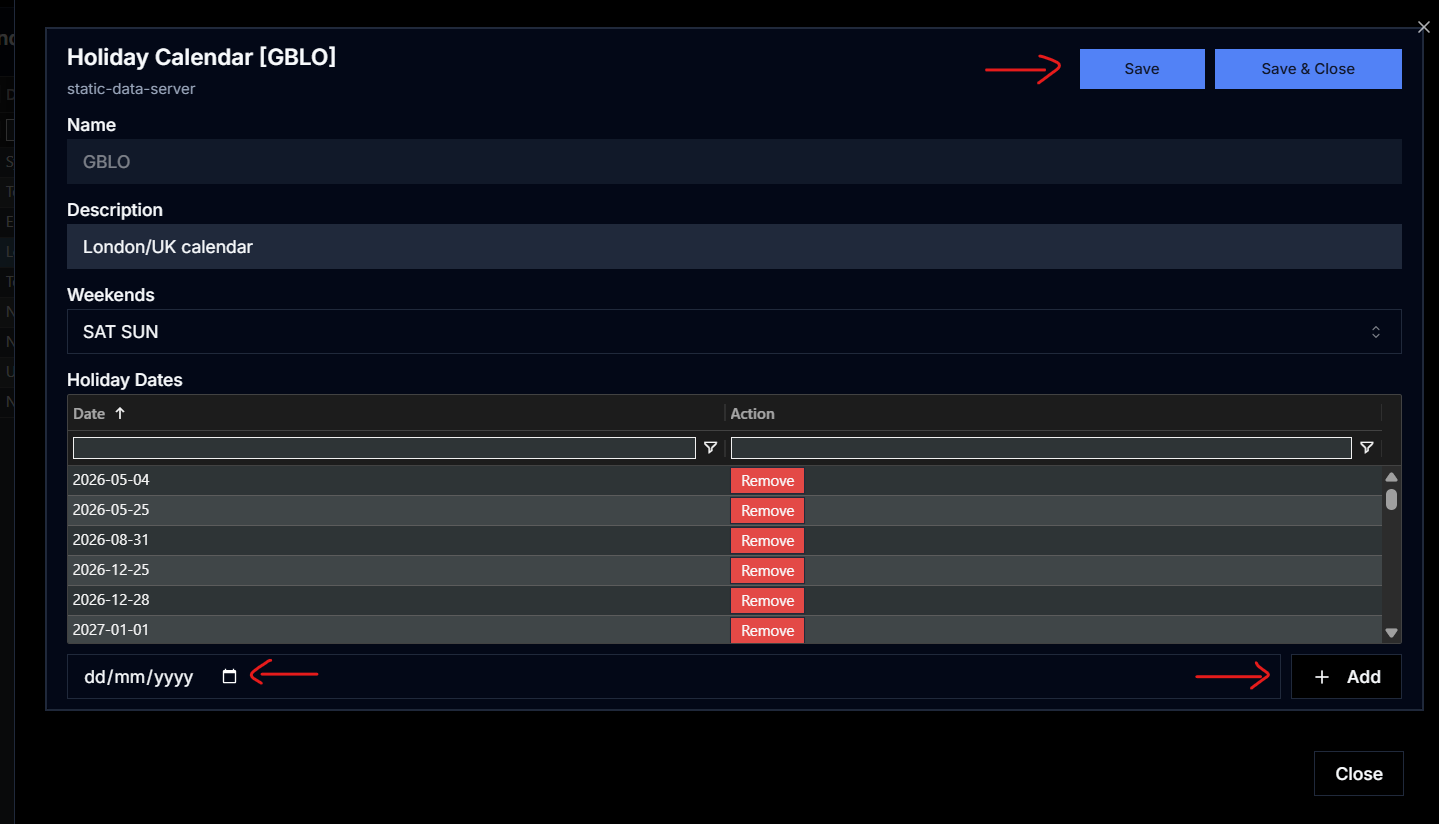
- In Key UI, navigate to Holiday Calendars under Static Data Server
- Click 'Editor' action button for holiday calendar you want to add dates
- Select the holiday date and click Add
- Hit Save
You can also bulk add holiday dates using the
AddHolidayDatesRPC or via the data-provider-api
Combined Calendars
A business date entry can reference multiple calendars as a comma-separated string:
calendars = "US,LON"
When adjusting a date, SDS combines all listed calendars using a union rule — a date is a holiday if it falls in any of the named calendars.
Default Fallback
If an instrument's businessDayCalendars field references a calendar that does not exist in SDS, SDS falls back to a simple SAT_SUN weekend calendar rather than throwing an error. A warning is logged in this case.